
 17 Mar 2026
 30 min read
![[header] ui ux design trends 2026](https://www.miquido.com/wp-content/uploads/2025/09/header-ui-ux-design-trends-2026.jpg.webp)
In 2026, speed and style reign supreme. Users crave seamless experiences, with mobile-friendly designs topping their must-haves.
Did you know nearly half of all users abandon a page if it takes more than two seconds to load? That’s a staggering 60% bounce rate for slow sites! And for online shoppers, mobile responsiveness isn’t just a perk—it’s a dealbreaker. Businesses with optimized sites see a whopping 40% boost in conversions. These are must haves when it comes to product design.
How about the UI UX design trends shaping the digital landscape in 2026?
Our team of designers at Miquido has drawn from their expertise, industry experience, and observations to explore this question. Combining insights from real-world projects and a deep dive into the evolving digital landscape, we’ve compiled a forward-looking analysis of UI and UX design trends set to define the upcoming year.
Hot 10 UI UX Design Trends in 2026
The world of design is dynamic—12 months can sometimes feel like 12 years. With the rapid pace of innovation and shifting user expectations, separating fleeting fads from transformative trends is essential.
In 2026, expect to see a surge in hyper-personalized content, predictive design powered by machine learning, and dynamic user interfaces tailored to individual needs. The "Super Apps Ecosystem," popularized in Asia, is gaining global traction, and gamification is evolving beyond badges into community-driven storytelling experiences. Meanwhile, the emphasis on seamless authentication and digital autonomy highlights a collective shift toward frictionless, secure, and user-led experiences.
1. Business goals oriented design
One of the leading UI/UX design trends is a shift toward designs that prioritize business goals and KPIs alongside user needs. Rather than focusing solely on aesthetics, this approach emphasizes creating working products that deliver tangible results.
Merging strategy with user-centric solutions
UX designers align their design processes with key business objectives, ensuring every element contributes to measurable outcomes such as improved customer experience, increased engagement, or higher conversion rates.
By grounding designs in real-time data, user research, and strategic goals, brands can achieve a balance between seamless user interactions and designs that drive business success. This trend highlights the evolving role of design as not just a creative endeavour but a critical tool for achieving meaningful results.
Designing for individual needs and business success
Personalized user experiences have become increasingly vital, transforming how businesses interact with their audiences. By leveraging data to tailor content, interfaces, and interactions to individual preferences, brands can build stronger connections with their users.
In 2026, we see this evolving into Predictive UX, where algorithms anticipate a user’s goal before they even begin to type. When personalization is integrated with KPI-oriented design, businesses can deliver user-centric solutions that simultaneously achieve measurable outcomes, such as higher engagement rates and improved retention.
Step Your World's UX design process case study
Step's mobile application design process is a perfect blend of business goals and personalized user experiences.
Miquido's approach began with in-depth market analysis and user research to understand the target audience's needs and preferences. This data-driven strategy ensured that the app's features aligned with business goals, such as user engagement and retention.
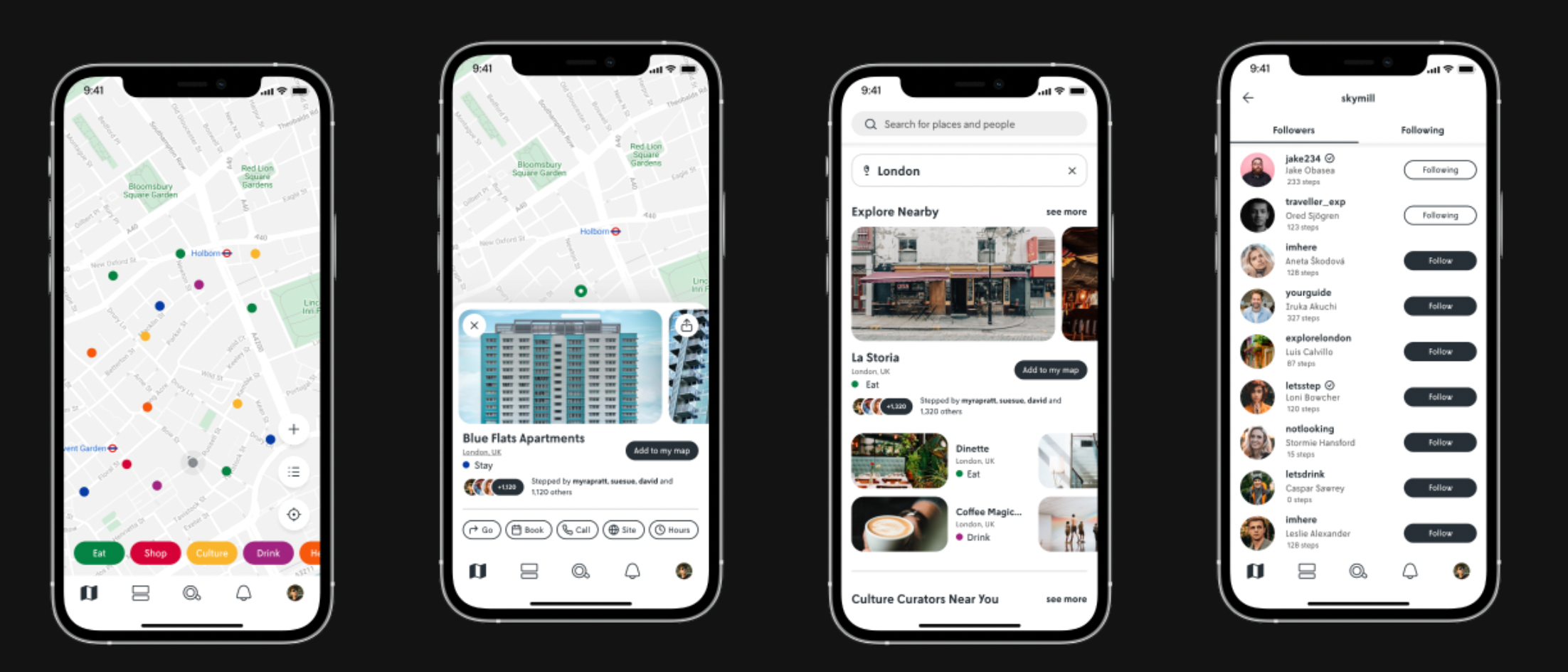
By focusing on personalization, the design team developed functionalities that allowed users to tailor their travel experiences, enhancing satisfaction and loyalty. This harmonious blend of business-oriented design and user personalization resulted in a product that meets corporate KPIs while delivering a customized experience for each user.
2. Use of AI in UI UX design
The integration of AI-powered tools in UI/UX design is reshaping workflows by automating routine tasks and enabling designers to focus on more creative and strategic aspects of their projects. With technologies like natural language processing (NLP) and computer vision, AI assists in generating personalization features, predicting user behaviour, and streamlining design iterations.
Undoubtedly, AI remains the hottest trend in 2026. However, the focus has shifted from designers using tools like Midjourney or Dall-E to create mood boards, to Generative UI that serves the end-user. Imagine an interface that doesn't just gather data, but interprets it to deliver filtered, real-time information. We can use this to implement UX best practices instantly, meeting user expectations without manual analysis.
Regarding AI in Visual Design, we have moved beyond simple image generation. AI now greatly improves UX by automating repetitive tasks for the user. With the help of AI, we can generate dynamic wireframes from user flow data and conduct quicker cycles of feedback through automated transcription and preference analysis, allowing for validation with much broader groups of respondents.
Pangea.ai's case study
Pangea.ai is a great example of how harnessing AI tools can elevate UX design and development. Faced with the challenge of streamlining their onboarding process, Pangea.ai collaborated with Miquido to implement an AI-driven document information extraction tool. This solution automates the extraction of key details from documents like resumes and project case studies, enabling the rapid creation of comprehensive specialist and agency profiles.
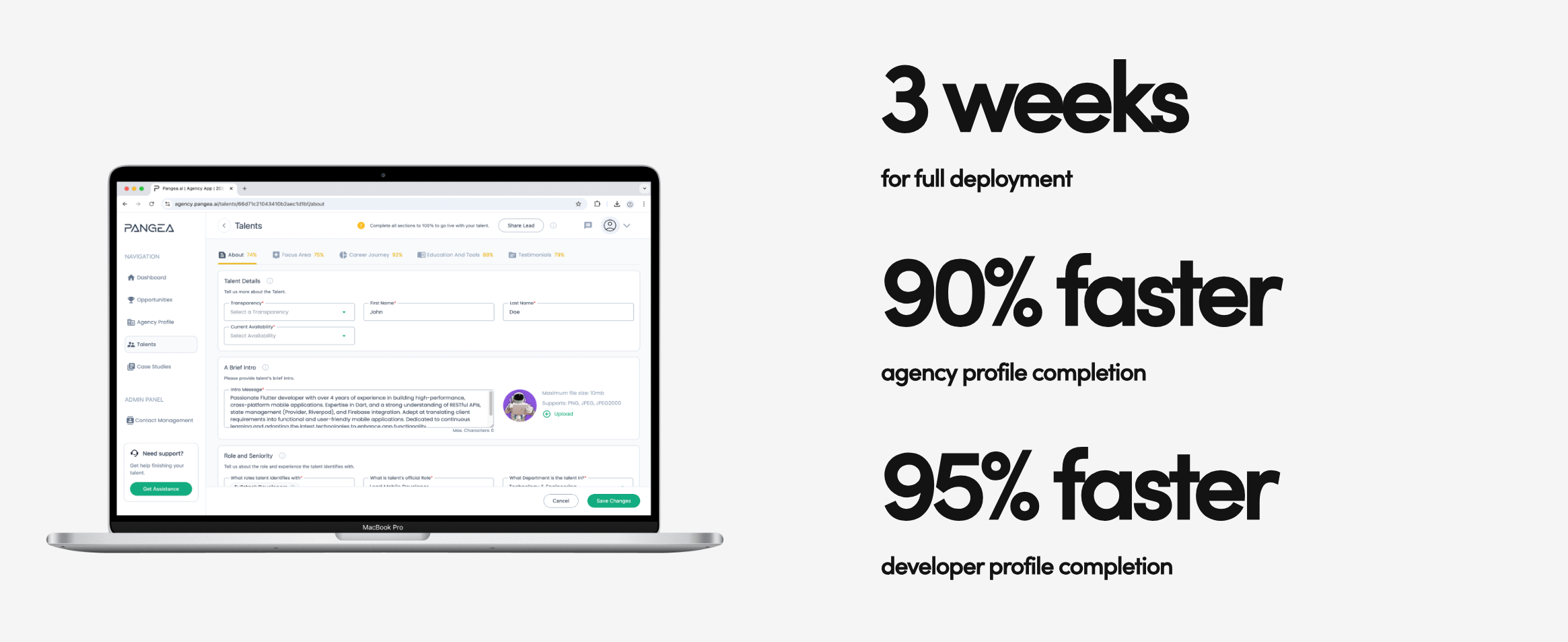
By automating these routine tasks, designers and developers can concentrate on more creative and strategic aspects of their projects. The integration of AI not only enhances efficiency but also ensures that the end product is user-centred, functional, and emotionally engaging, demonstrating the harmonious blend of human creativity and technological innovation.
3. Voice & conversational user interfaces
With the immense growth of chat and voice bots' market value over the past few years, we can observe an increasing number of ways of implementing those technologies into product design and strategy.
Many studies have shown that people are becoming more open to interaction with voice user interfaces and tend to choose services and e-commerce platforms with bot support in customer service. Hence, the rapid emergence of User Experience and User Interface design trends related to conversational and voice user interfaces (VUI & CUI) in eCommerce.
Following the growing popularity of voice assistants or chatbot integrations, we can expect this technology to evolve and bring even more value. Conversational design, which focuses on creating a human-like interaction with a computer, seems to be a trendy way of implementing bots for users’ convenience and business advantage.

In addition, voice-enabled UIs finally make specific contexts of use possible. They enable users to operate systems without using their hands or full attention, for example, when driving, exercising, or cooking. Moreover, those digital interfaces may be more accessible for people with disabilities or the elderly, for whom using traditional UI might be too demanding.
Zero UI: the consequence of conversational user interface?
Zero UI is a vision of an interface that becomes invisible, moving interaction beyond the smartphone screen. Imagine managing a smart home application: instead of searching for a brightness slider on your phone, you simply make a hand gesture in the air or speak a command, and the system responds instantly, confirming the action with a subtle sound.
Zero UI may be the next logical step following the adaptation of conversational interfaces, freeing us from the need to constantly look at displays. It drastically increases technology accessibility in situations where the user's attention must be focused elsewhere (e.g., while driving). However, it eliminates the visual sense of control, which can be a barrier for users accustomed to graphical confirmation of every operation.
4. Super apps ecosystem
The super apps ecosystem, a trend originating from Asia, particularly China, has taken the design world by storm. Apps like Grab and Gojek are prime examples of integrating multiple services within a single platform to create a seamless user experience. These "apps within apps" prioritize user engagement and retention by offering everything from ride-hailing to food delivery, payment solutions, and beyond—all in one digital interaction.

For UX/UI design, this trend emphasizes the importance of crafting user interfaces that enable intuitive navigation and effortless transitions between services. Using bold typography, micro-interactions, and subtle animations can help grab users' attention while ensuring that the design process aligns with user research and business success.
By focusing on seamless integration and leveraging advanced technology such as machine learning algorithms for personalization, super apps not only meet user needs but also stay relevant in a competitive market. As this UI trend gains momentum, more brands are exploring out-of-the-box approaches to create experiences that captivate the user's eye and adapt to their everyday lives.

Is super app always the answer?
Combining services and building bridges between platforms can bring many benefits. However, it is worth considering user preferences and cultural conditions. In Asia, super apps are the foundation of daily life because users embraced them as "digital Swiss Army knives" in regions where banking and service infrastructure developed in parallel with the mobile revolution.
In Europe, they do not necessarily perform as well—Miquido's report on added services in banking shows that users do not necessarily appreciate such fusions. European consumers often prefer having a specific, specialized app for a specific area of life, which stems from a stronger attachment to data privacy and a desire to avoid digital clutter.
Grab: Super app example redefining user convenience
Grab, Southeast Asia's leading super application, offers a comprehensive platform that integrates multiple services to enhance user engagement and streamline digital interactions. By combining functionalities such as ride-hailing, food delivery, and digital payments within a single user interface, Grab provides a seamless experience that caters to diverse daily needs.

This all-in-one approach not only simplifies access to various services but also fosters increased user retention and satisfaction. As a pioneer in the super app ecosystem, Grab exemplifies how thoughtful UI/UX design can effectively integrate multiple services to create a cohesive and user-centric digital environment.
5. Mobile self-service
This UX design trend in 2026 stems from a genuine user need to have full control over a process without the necessity of interacting with another human being. It is a typical generational shift—younger generations prefer a minimum of direct contact.
According to the Miquido report “Mission: Self-Possible”, as many as 46% of users feel frustrated when self-service options are missing. 60% of users prefer mobile self-service for simple issues, which directly lowers support costs and reduces Customer Churn. Mobile self-service now underpins the entire customer experience, as a sense of agency directly influences loyalty and repeat usage.

The key in 2026 is identifying "bottlenecks" and actions that take the most time, which—through automation—could take literal seconds. The designer must find a balance: offering autonomy while avoiding making the user feel overwhelmed by responsibility.


6. No-code & UX/UI design
In 2026, no-code platforms will already be an established trend (if you can say so) in UX/UI design, breaking down barriers between designers and developers. These tools empower designers to turn ideas into interactive, high-fidelity prototypes and even fully functional applications without writing a single line of code.
As no-code technology evolves, the gap between design and development continues to close, fostering collaboration and accelerating product iterations. This democratization of app creation not only saves time but also expands the creative possibilities for UX/UI designers, making innovation more accessible than ever.
Platforms like FlutterFlow and Webflow enable seamless integration of advanced features, such as database connections and responsive layouts, all within visual interfaces.
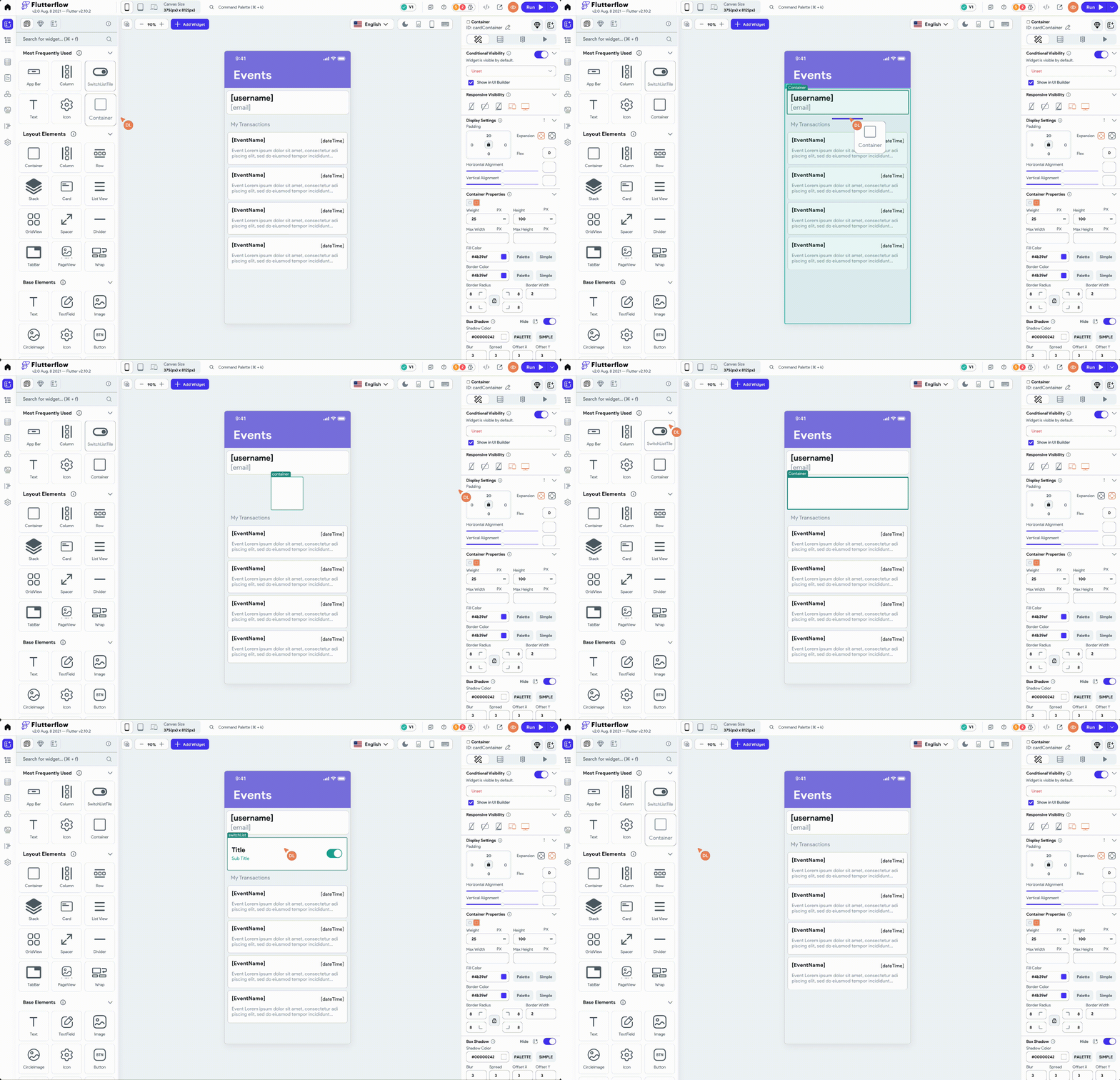
As the Flutter development company that created one of the first Flutter projects, officially featured at Google I/O, we know its benefits for faster time-to-market. For many of our clients, Flutter is the ideal choice for building MVPs, as it allows you to prototype quickly without starting from scratch.
7. Immersive Scrolling Experiences
Immersive scrolling is a captivating UI design trend that uses subtle animations, micro-interactions, and seamless transitions to enhance user interactions and keep their attention on key narratives. Blending creative motion with thoughtful design creates engaging and memorable experiences across various devices.
Techniques like parallax scrolling and animated visuals help brands stand out, making digital content feel intuitive and exciting. It’s not just about aesthetics; it’s about improving user engagement through thoughtful user testing and innovation, ensuring designs resonate with audiences while delivering real value.
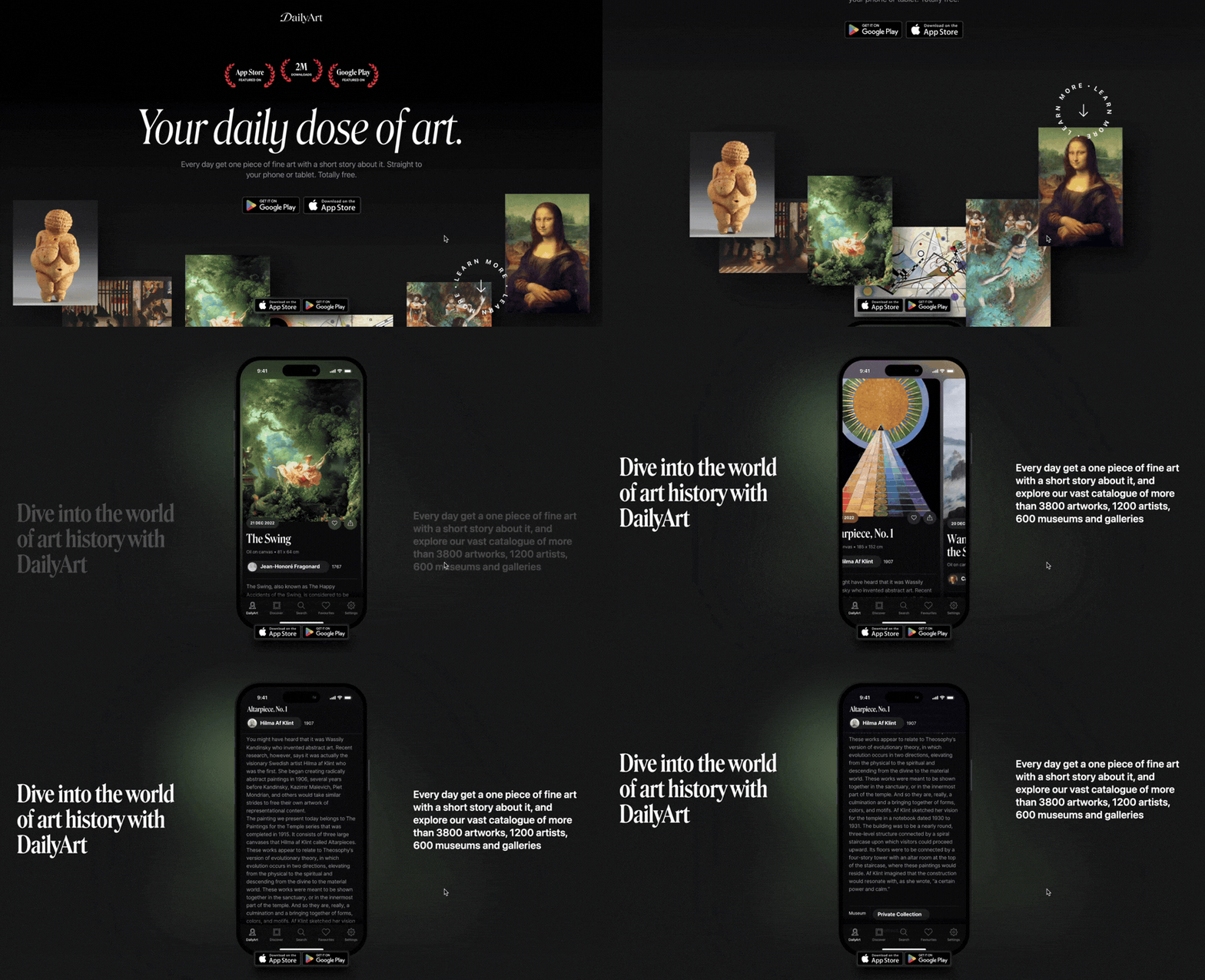
Narrative design with scrollytelling
Scrollytelling was certainly one of the most discussed UX design trends in 2024. This unique design technique originates from numerous studies on how cognitive load and limited human capacity to store information affect information processing. Scrollytelling transforms stories into users’ interactive and immersive experiences.
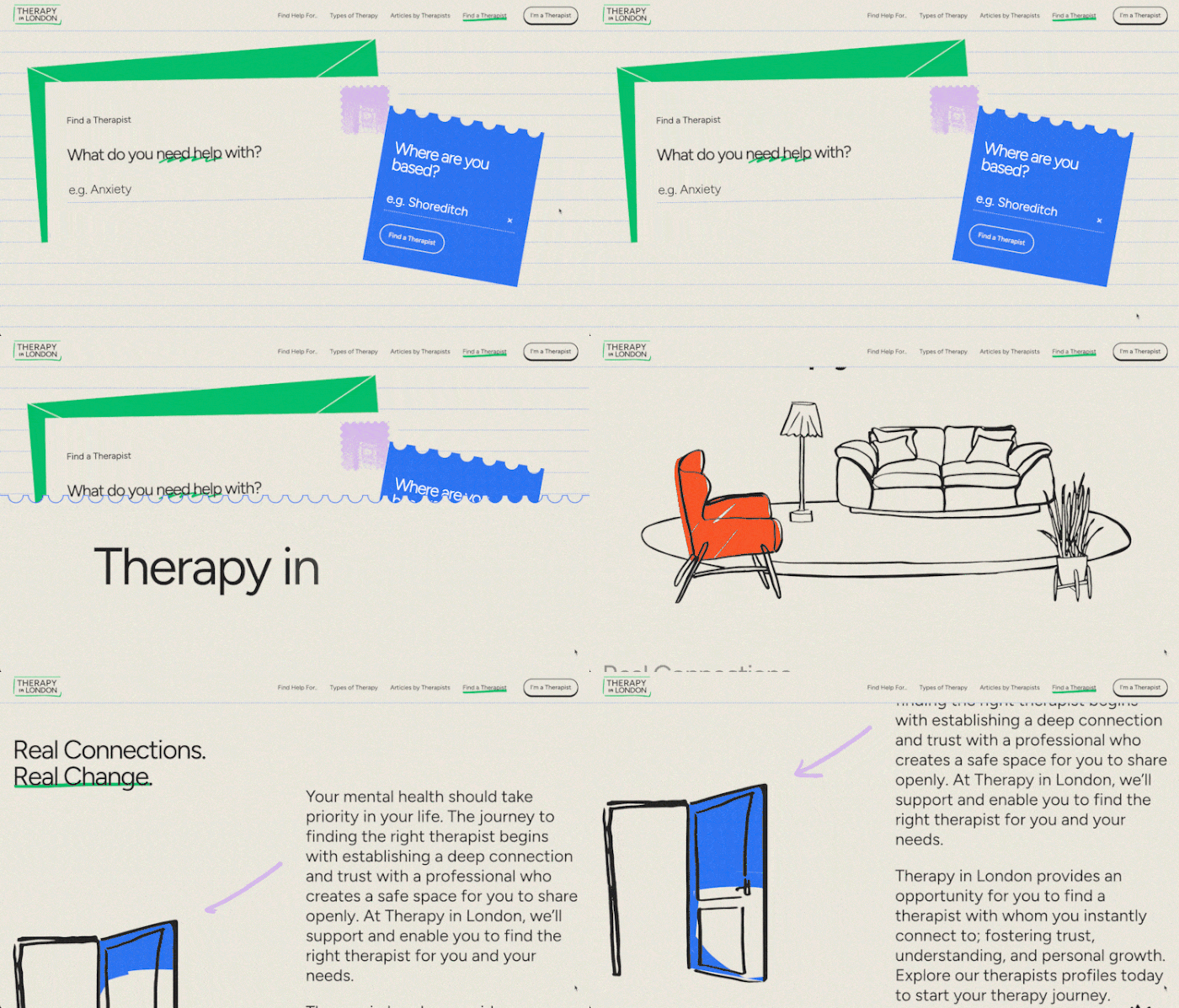
Therapy in London's scrollytelling trend example
How Therapy in London creates a calming digital experience?
The Therapy in London website exemplifies effective scrollytelling, combining user engagement with elegant design. As users scroll, subtle animations and smooth transitions guide them through a thoughtful narrative. Bold typography, clean layouts, and motion present complex ideas in a visually appealing way. By blending storytelling with user interactions, the site grabs attention while creating a calming digital experience that reflects the brand's focus on well-being and mental health. It’s a testament to how scrollytelling enhances customer experience while staying true to a brand’s mission.
Dynamic text for user engagement
Typography is a potent means of communication, and kinetic typography enhances its impact even further. Animated text can captivate audiences, drawing their attention instantly. It has the power to entertain, engage, and convey even intricate narratives effectively.
Typography animations find use in various contexts, from commercial campaigns to personal endeavors like music videos, tributes to iconic movie quotes, or creative explorations of type design. Here, we've curated some standout examples to inspire you, featuring everything from music video animations to cinematic homages and beyond.
Example of Apple's dynamic approach to kinetic typography in advertising
Apple leverages kinetic typography most effectively in its advertising campaigns. Take the ad below as an example: it uses motion graphics to emphasize its carbon neutrality commitment in an engaging and accessible manner. Key promises are highlighted in a way that’s easy to understand.
By pairing this message with an energetic soundtrack and a vibrant green colour scheme, Apple creates excitement around its brand identity and environmental strategy.
Microinteractions: small design elements playing a crucial role
Subtle, task-specific animations that enhance user engagement by providing immediate feedback and guiding users through digital interfaces. These small design elements are crucial in modern UI/UX design by making interactions more intuitive and enjoyable.
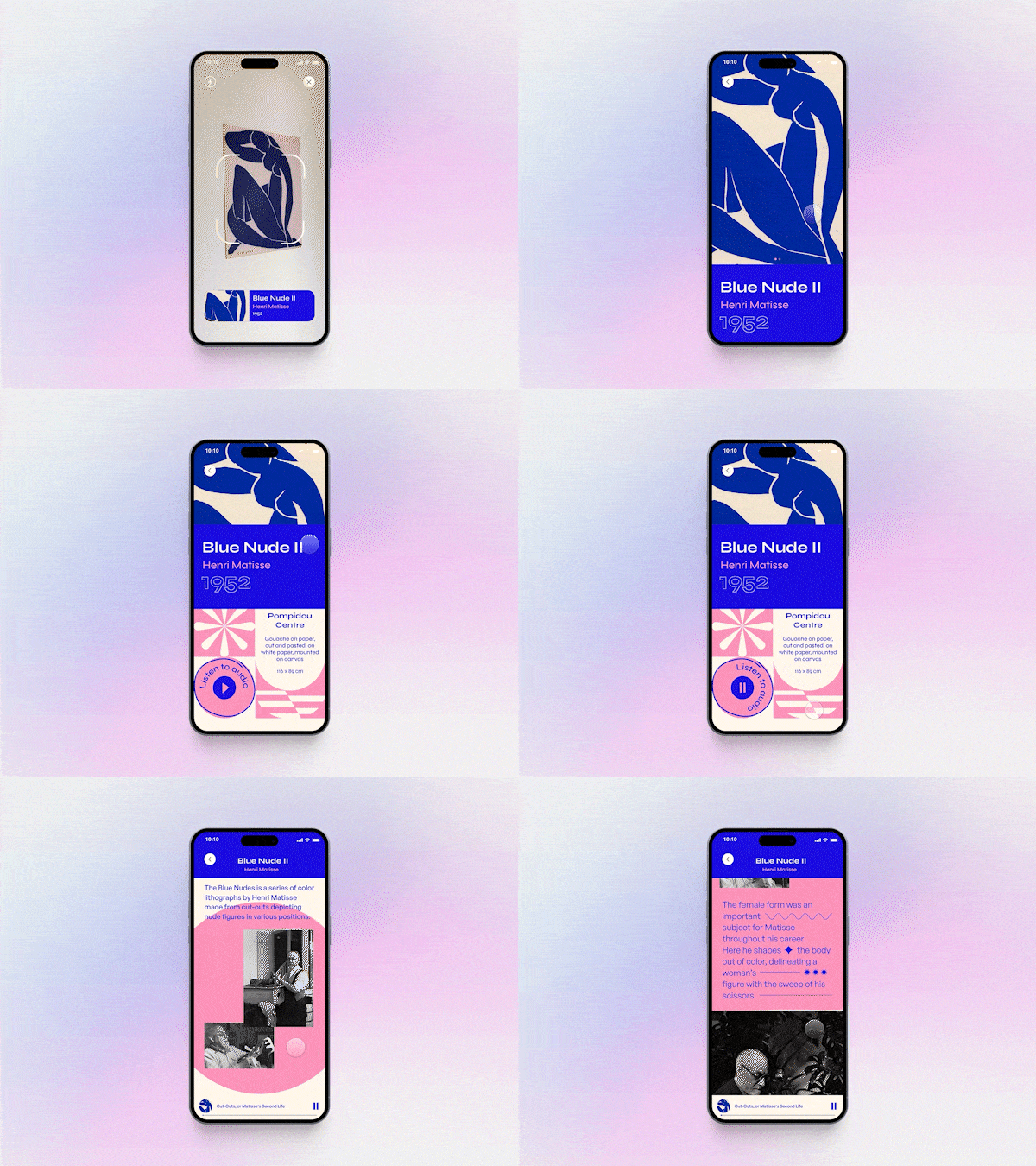
For instance, a button that changes color when hovered over indicates its interactivity, subtly guiding the user. Similarly, a progress indicator during a file upload reassures users that their action is being processed. By incorporating microinteractions, businesses can create more responsive and human-centered interfaces, leading to improved user satisfaction and a more seamless digital experience.
8. Advanced 3D and animated visuals
Advanced 3D and animated visuals are transforming mobile and web experiences by enhancing user engagement and interaction. Interactive web designs, including 3D elements, can increase user retention by up to 60%. Additionally, animations have been shown to improve user retention by making interfaces more engaging and enjoyable.
Incorporating these dynamic visuals not only captivates users but also simplifies complex information, making it more accessible. For mobile platforms, optimized 3D graphics and responsive animations enhance usability without compromising performance, ensuring a seamless experience across devices. By leveraging these technologies, brands can differentiate themselves in a competitive digital landscape, delivering memorable user experiences that increase time spent on site and drive conversions.
Headspace's case study with 3D animations
Headspace, a leading meditation and mindfulness app, effectively utilizes 3D animations to enhance user engagement and simplify complex concepts. By incorporating playful and informative animated content, Headspace demystifies meditation practices, making them more accessible and enjoyable for users.
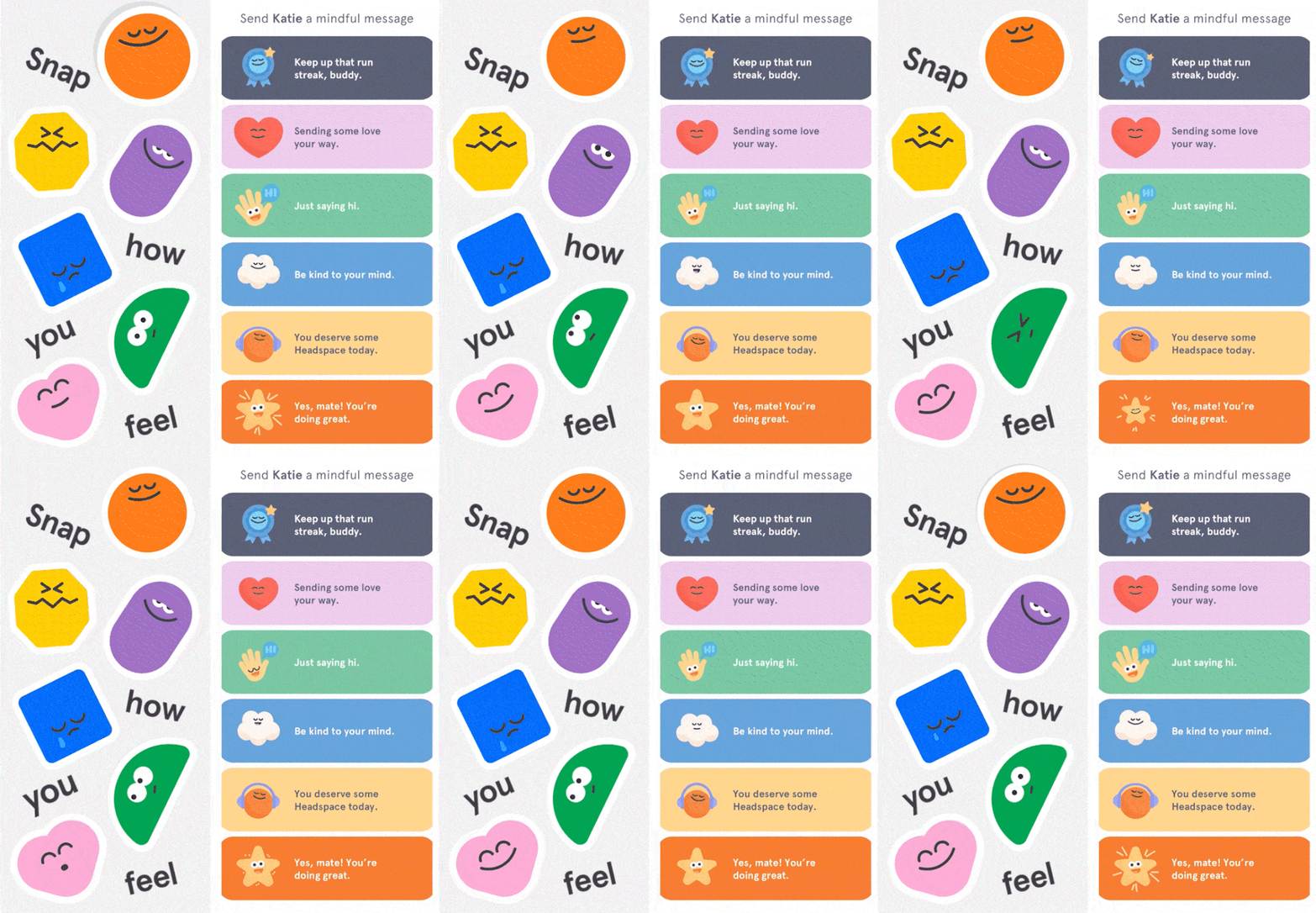
These animations serve as visual guides, aiding in user comprehension and retention, and are integral to the app's user interface, providing seamless and delightful experiences. This strategic use of animation has been instrumental in Headspace's growth, contributing to increased user engagement and satisfaction.
9. Augmented and Virtual Reality
Integrating augmented reality (AR) and virtual reality (VR) redefines digital experiences, emerging as a major design trend in 2026. These immersive technologies bridge the gap between the physical world and digital interactions, enabling users to engage with content in innovative and memorable ways.
From AR-enhanced shopping experiences that allow customers to visualize products in their space to VR-driven training simulations, the possibilities are expanding rapidly. Designers are leveraging AR and VR to create user interfaces that feel intuitive and dynamic, catering to various industries like e-commerce, gaming, and education. As AR and VR become more accessible through advancements in mobile apps and devices, they’re reshaping how users interact with technology and bringing futuristic experiences into everyday life.
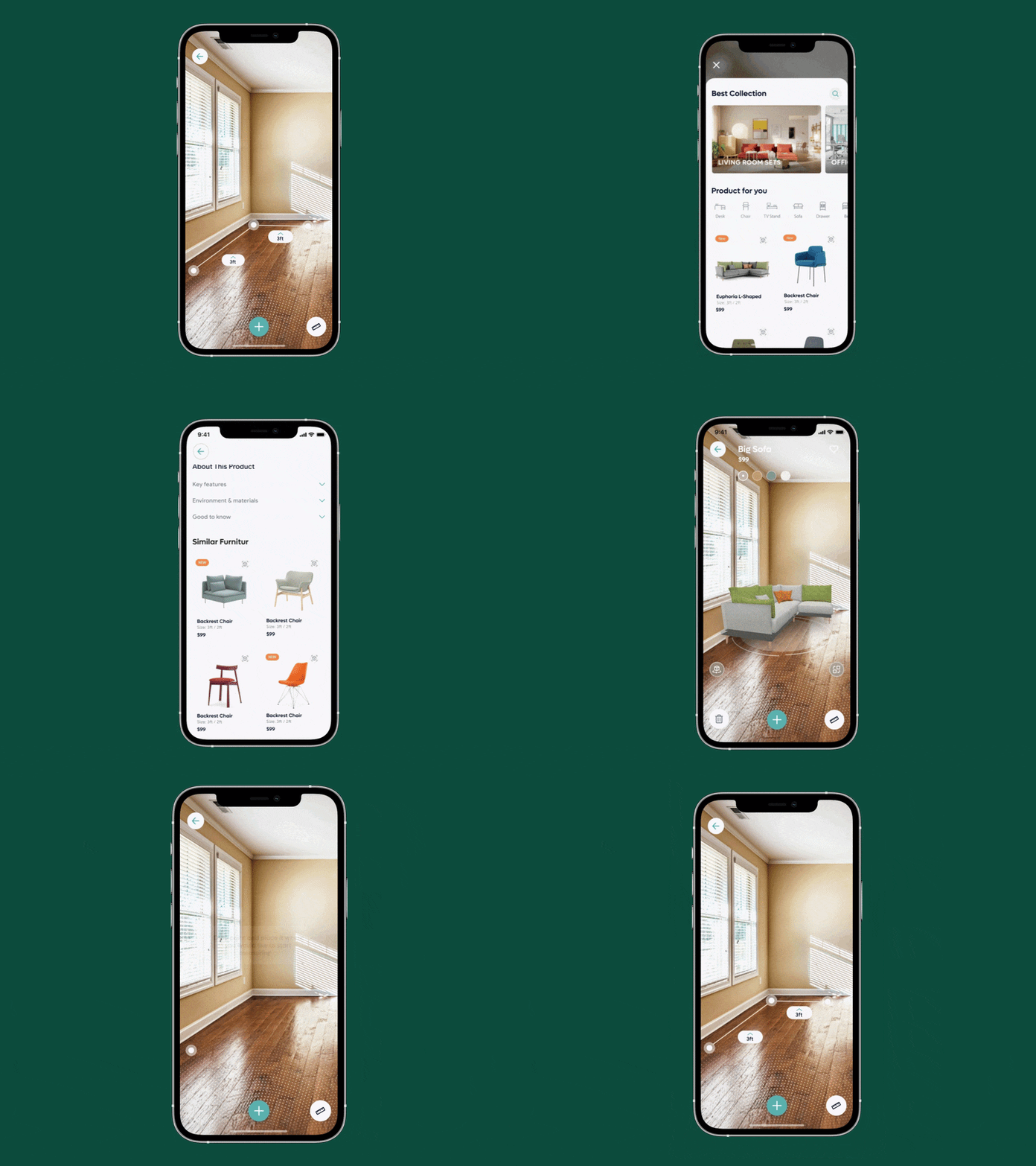
Creating immersive AR experiences
Building immersive AR experiences is becoming a cornerstone of modern UX design, allowing users to interact with digital content in ways that closely mimic real-world interactions. Running Usability Studies using Virtual Reality seems to be a fair deal – it maintains all benefits of remote user tests and, at the same time, simulates the real-world experiences between the researcher, prototype, and study participants.
In Miquido, we already appreciate the benefits of Usability Testing in VR experiments that we conduct within our Product Design solutions. We know that VR is not an accessible platform as it currently exists. Still, we enthusiastically observe how it turned from curiosity to a full-fledged UX design trend within a few last months.
10. Sustainable and eco-friendly design
The continuous development of web technologies opens up many opportunities and benefits society and the environment. Yet, at the same time, it also has its darker side. The Internet currently produces approximately 3.8% of global carbon emissions. It’s also used to spread manipulative content, violate privacy, and – in some countries – even limit personal freedom. So now, it’s time to discuss one of the most critical current user experience design trends: sustainable web design.
As designers, we can implement strategies focused on:

1) Usability – users should be able to achieve their goals quickly and efficiently. We need to simplify user journeys and focus on user needs to save energy, which is spent being online.
2) Accessibility – following Web Content Accessibility Guidelines (WCAG) can make digital products and services accessible to nearly one billion people worldwide who have some physical or cognitive disabilities.
3) Content optimized for searching – we can spend quite a lot of time searching for information online, even up to 9.3 hours per week, according to some reports. Searching for relevant content consumes energy. As designers, we can solve this by focusing on intuitive information architecture, optimising content for quick scanning, and creating smart onsite searches and filters.
4) Minimised content weight – images, videos, and animations can weigh a lot, so they should be used only when necessary. Minimizing content size can also lower data transfer, data storage, and energy consumption in the end.
5) Privacy – do we respect user privacy and provide clear guidelines for maintaining it? Users should be informed about what data is collected and how it’s used, having the ability to opt-out at any time.\
Even the smallest design choices, like using certain types of search filters or removing unnecessary images, can have a significant environmental impact. We can minimize the digital carbon footprint by creating products that provide value to users, have accessible and optimized content, and are intuitive to use. All in all, it’s about creating World-Wide Worth, not World-Wide Waste.
11. Increased accessibility standards
Topics related to accessibility have been steadily gaining ground among designers. For a good reason – enhancing digital products’ accessibility and removing barriers contributes to usability, serving a larger audience, as well as business growth.
Furthermore, in light of the European Accessibility Act coming into effect in 2026, designing accessible experiences will be a legal requirement rather than an option. Undoubtedly, 2024 will be a year of accessibility-related topics gaining further momentum in UI design trends.
WCAG (Web Content Accessibility Guidelines) is a set of recommendations on how to make web content accessible developed by the W3C Web Accessibility Initiative. To date, WCAG 2.2, realeased in October 2023, has been the most recent set of guidelines.
So what’s coming? Here is a short selection of some new, interesting Success Criteria related to the expanding accessible UI and UX design trend:
- Focus Appearance (2.4.11)
The way the focus state is indicated should enclose the focused component or be at least as large as the area of a 1px perimeter of the unfocused component or is at least as large as a 4px line along the shortest side of its bounding box. In both cases, a focused interface component should have a contrast ratio of at least 3:1 between focused and unfocused states and a contrast ratio of at least 3:1 against adjacent non-focused colors.
- Dragging Movements (2.5.7)
Functionalities requiring a dragging movement should be achievable for a user without dragging.
- Accessible Authentication (3.3.7)
A test relying on cognitive abilities (e.g. solving a puzzle) should not be required for any step of an authentication process unless additional assistance (such as an alternative authentication method) is provided.
- Redundant Entry (3.3.9)
When a user is required to enter information that has been previously provided by or to them, this content should be either auto-populated or available for selection.
Example of implementing inclusive design principles for VhedaHealth
Implementing inclusive design principles was crucial in developing Vheda Health's remote disease management platform, as the end users include individuals with chronic conditions who may have special needs.

By prioritizing accessibility and user-centric design, Miquido's team ensured that the application is intuitive and usable for all patients, regardless of their physical or cognitive abilities. This approach not only enhances user satisfaction but also promotes better health outcomes by enabling seamless interaction with the platform.
Theme toggle features for enhanced accessibility
Theme toggle features, enabling light and dark mode switching, are also key UX trends in 2026. This design style enhances user comfort across various screen sizes and lighting conditions, addressing accessibility needs while personalizing virtual interactions. By adopting this functionality, UI designers create inclusive experiences that adapt seamlessly to user preferences on both mobile apps and desktop platforms.
The future of UI/UX design in 2026
2026 is all about creating experiences that feel personal, seamless, and truly impactful. Designers and businesses are embracing trends that go beyond aesthetics, focusing on what really matters: engaging users, solving problems, and building connections.
From AI tools that simplify workflows and predict user needs to immersive scrolling and AR/VR that make interactions unforgettable, innovation is at the forefront. Super apps are redefining convenience, while no-code platforms empower creativity like never before. And let’s not forget sustainability and accessibility—designing for a better, more inclusive world. These trends aren’t just shaping the digital landscape; they’re paving the way for experiences that leave a lasting impression.

Top AI innovations delivered monthly!
The administrator of your personal data is Miquido sp. z o.o. sp.k., with its ... registered office in Kraków at Zabłocie 43A, 30 - 701. We process the provided information in order to send you a newsletter. The basis for processing of your data is your consent and Miquido’s legitimate interest.You may withdraw your consent at any time by contacting us at marketing@miquido.com. You have the right to object, the right to access your data, the right to request rectification, deletion or restriction of data processing. For detailed information on the processing of your personal data, please see Privacy Policy.


